ポッドキャストの告知
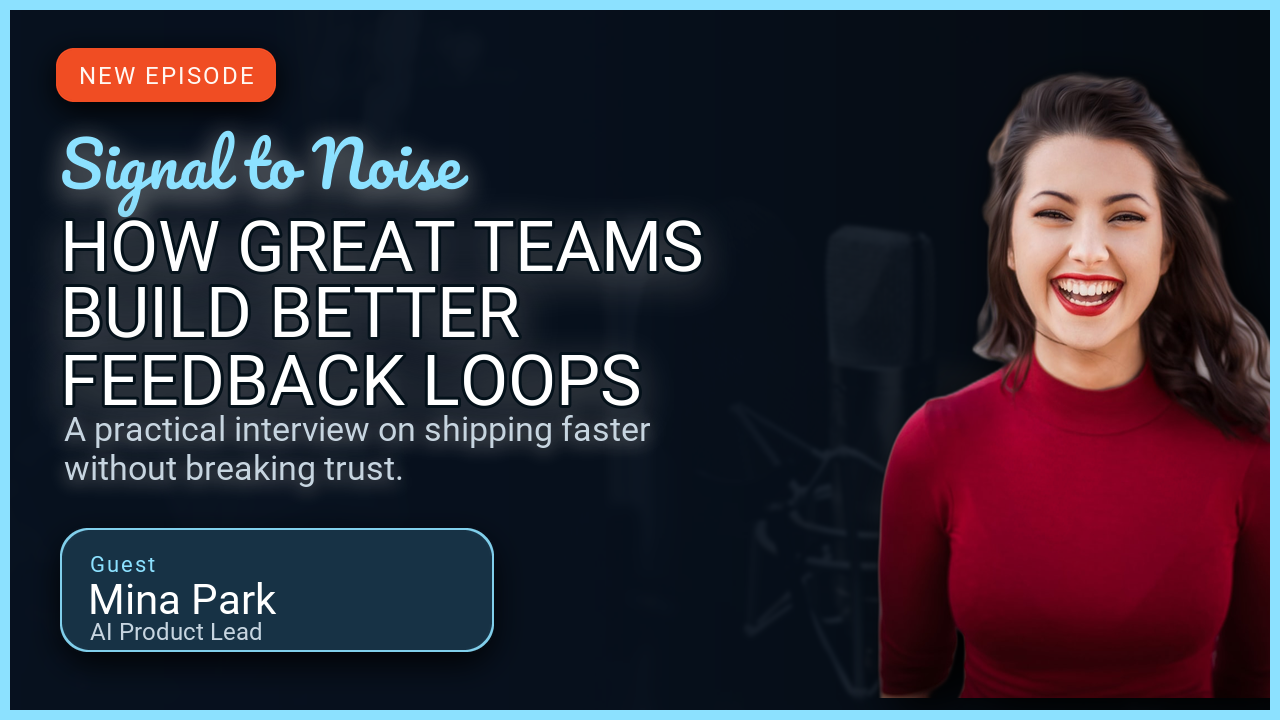
番組名、エピソード名、ゲストを載せ、右側をゲストの写真で埋めたカードです。
実行するにはuvをインストールし、リポジトリをクローンしてください。
git clone https://github.com/sjquant/quickthumb
cd quickthumb
uv run python examples/podcast_interview_promo.py
examples/podcast_interview_promo.pngを保存し、同名ファイルがあれば上書きします。
初回は番組名のWebフォントをダウンロードするためネットワーク接続が必要です。以降はキャッシュを使います。
作り方
- ポートレートを背景にします。
.background(image=..., fit=FitMode.COVER)でキャンバス全体を写真で埋めます。人物を切り抜かないため、切り抜いた縁を調整する必要もありません。 - グラデーションで文字の場所を確保します。 4つの停止点を持つ
LinearGradientで、文字の背後を黒、顔の上を完全な透明にします。中間の停止点を動かすと、色が消える位置を調整できます。 - 番組名はWebフォントです。
font=SHOW_FONT_URLはGoogle Fontsの.ttfファイルを指します。URLは特定のスタイルのファイルなので、weight、bold、italicは適用されません。 - アクセントカラーは1色です。 番組名の下の短い赤線だけに色を使い、ほかは白とグレーに揃えます。
コード
"""
Podcast / interview promo example.

Demonstrates:
- Local editorial portrait assets used as full-bleed backgrounds
- Webfont loading from a URL for the show title
- Tonal gradients that preserve portrait detail behind high-contrast copy
"""

import os

from quickthumb import Canvas, FitMode, LinearGradient

FILE_DIR = os.path.dirname(__file__)
ASSETS_DIR = os.path.join(FILE_DIR, "..", "assets")
OUTPUT_PATH = os.path.join(FILE_DIR, "podcast_interview_promo.png")

os.environ["QUICKTHUMB_FONT_DIR"] = os.path.join(ASSETS_DIR, "fonts")
os.environ["QUICKTHUMB_DEFAULT_FONT"] = "Roboto"

GUEST_IMAGE_PATH = os.path.join(ASSETS_DIR, "images", "podcast-guest-editorial.png")
SHOW_FONT_URL = "https://fonts.gstatic.com/s/dmserifdisplay/v17/-nFnOHM81r4j6k0gjAW3mujVU2B2K_c.ttf"

(
    Canvas(1280, 720)
    .background(
        image=GUEST_IMAGE_PATH,
        fit=FitMode.COVER,
    )
    .background(
        gradient=LinearGradient(
            angle=0,
            stops=[
                ("#000000", 0.0),
                ("#000000F7", 0.48),
                ("#00000030", 0.72),
                ("#00000000", 1.0),
            ],
        )
    )
    .text(
        content="EPISODE 06",
        size=18,
        color="#A1A1A6",
        weight=800,
        letter_spacing=3,
        position=(64, 54),
    )
    .text(
        content="Signal to Noise",
        font=SHOW_FONT_URL,
        size=50,
        color="#F5F5F7",
        position=(62, 88),
    )
    .shape(
        shape="rectangle",
        position=(64, 158),
        width=96,
        height=6,
        color="#FF453A",
    )
    .text(
        content="HOW GREAT TEAMS\nBUILD BETTER\nFEEDBACK LOOPS",
        size=68,
        color="#F5F5F7",
        weight=700,
        line_height=0.98,
        position=(58, 188),
    )
    .text(
        content="Shipping faster — without breaking trust.",
        size=27,
        color="#A1A1A6",
        position=(64, 424),
        max_width=570,
        line_height=1.25,
    )
    .shape(
        shape="rectangle",
        position=(64, 536),
        width=420,
        height=1,
        color="#FFFFFF33",
    )
    .text(
        content="GUEST",
        size=15,
        color="#A1A1A6",
        weight=700,
        letter_spacing=3,
        position=(64, 558),
    )
    .text(
        content="Mina Park",
        font=SHOW_FONT_URL,
        size=38,
        color="#F5F5F7",
        position=(62, 582),
    )
    .text(
        content="AI Product Lead",
        size=19,
        color="#86868B",
        weight=500,
        position=(66, 630),
    )
    .render(OUTPUT_PATH)
)

print(f"✓ Podcast / interview promo created: {OUTPUT_PATH}")
print("  This example requires network access only for the display webfont.")
同じレイアウトで全面写真の代わりに人物を切り抜く場合は、Webフォントと背景除去を参照してください。