Shorts / 세로형 커버
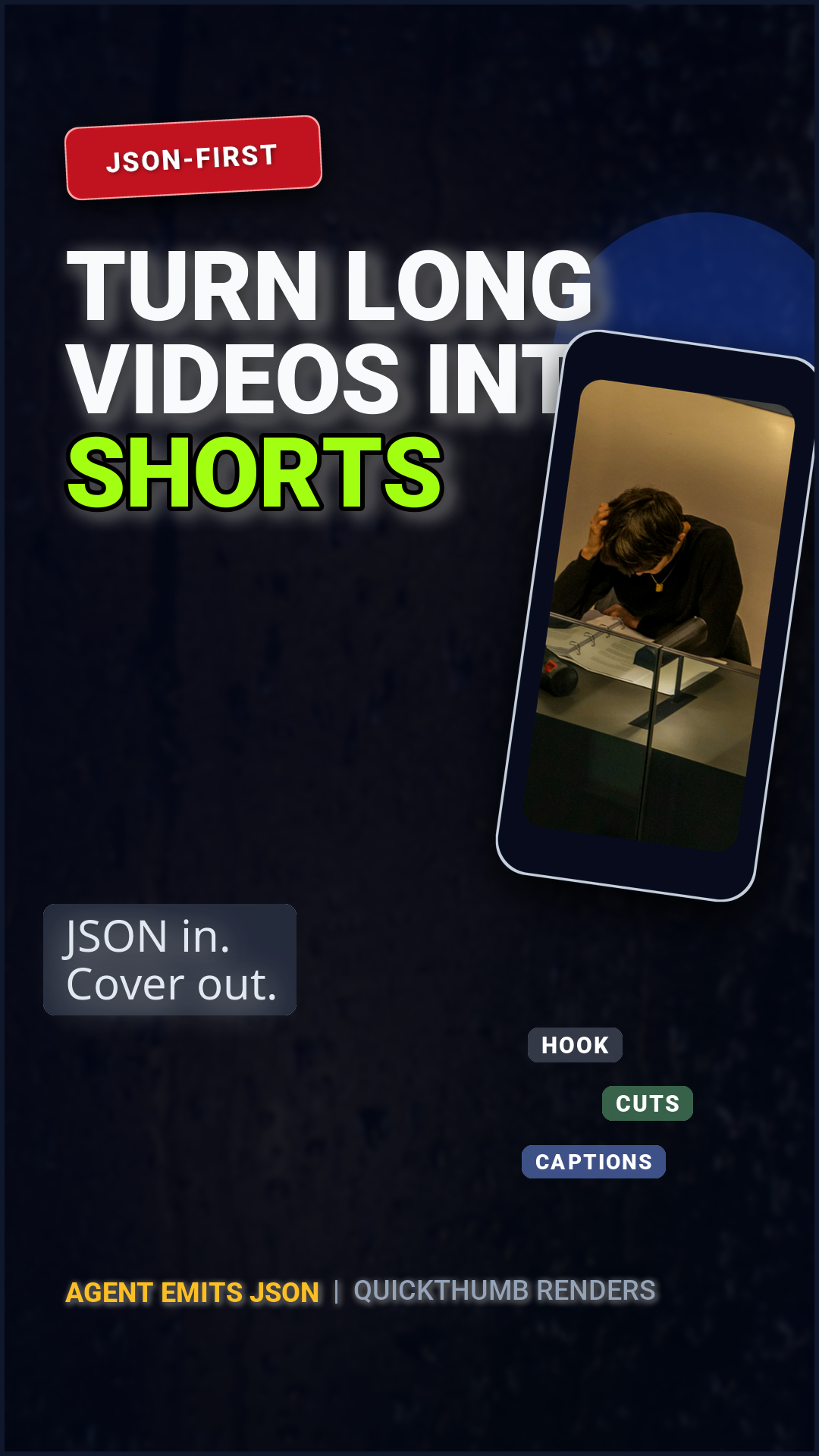
레이아웃 전체를 JSON으로 작성한 1080×1920 커버입니다. Python은 이 파일을 읽어 렌더링만 합니다. LLM이나 템플릿 시스템으로 레이아웃을 생성할 때도 같은 방식으로 quickthumb를 사용할 수 있습니다.
예제를 실행하려면 uv를 설치하고 저장소를 복제하세요.
git clone https://github.com/sjquant/quickthumb
cd quickthumb
uv run python examples/shorts_cover_agent.py
스크립트는 examples/shorts_cover_agent.png를 기록하며 같은 이름의 기존 파일을 덮어씁니다.
구성 방식
- 같은 사진을 두 군데에 씁니다. 한 곳은 가로 16:9로 자르고, 다른 곳은 휴대전화 화면 안에 넣습니다.
"fit": "cover"가 각 프레임 모양에 맞게 사진을 잘라 줍니다. - 휴대전화는 두 레이어입니다. 어둡고 둥근 사각형이 본체이고 위의 사진이 화면입니다. 두 레이어와 화면의 라벨 세 개가 모두
"rotation": 3을 사용하므로 함께 기울어집니다. - 경로는 저장소 루트를 기준으로 합니다. 예를 들어
assets/images/denise-jans-WIRvXd1PYlg-unsplash.jpg입니다. 렌더링 전에 스크립트가 저장소 루트로 이동하므로 어느 디렉터리에서도 실행할 수 있습니다. - 배경에 약간의 입자를 더했습니다. 고정
seed가 있는grain효과로 렌더링할 때마다 같은 질감을 만듭니다.
명세
{
  "kind": "canvas",
  "width": 1080,
  "height": 1920,
  "layers": [
    {
      "type": "background",
      "color": "#F5F5F7",
      "effects": [
        { "type": "grain", "intensity": 0.006, "monochrome": true, "seed": 9 }
      ]
    },
    {
      "type": "text",
      "content": "JSON WORKFLOW  /  01",
      "font": "Roboto",
      "size": 24,
      "color": "#6E6E73",
      "position": ["8%", "7%"],
      "weight": 700,
      "letter_spacing": 3
    },
    {
      "type": "shape",
      "shape": "rectangle",
      "position": ["8%", "10%"],
      "width": 908,
      "height": 1,
      "color": "#1D1D1F26"
    },
    {
      "type": "text",
      "content": [
        { "text": "TURN LONG VIDEOS\nINTO ", "color": "#1D1D1F", "weight": 700 },
        { "text": "SHORTS.", "color": "#0066CC", "weight": 700 }
      ],
      "font": "Roboto",
      "size": 102,
      "position": ["8%", "16%"],
      "max_width": "84%",
      "line_height": 1.0,
      "letter_spacing": -2
    },
    {
      "type": "text",
      "content": "JSON in.\nCover out.",
      "font": "Roboto",
      "size": 42,
      "color": "#6E6E73",
      "position": ["8%", "43%"],
      "line_height": 1.18
    },
    {
      "type": "shape",
      "shape": "rectangle",
      "position": ["0%", "50%"],
      "width": 1080,
      "height": 720,
      "color": "#0066CC"
    },
    {
      "type": "shape",
      "shape": "rectangle",
      "position": ["77%", "56%"],
      "width": 430,
      "height": 850,
      "color": "#0A0A0A",
      "border_radius": 50,
      "rotation": 3,
      "align": "center",
      "effects": [
        { "type": "stroke", "width": 1, "color": "#D2D2D7" },
        { "type": "shadow", "offset_x": 0, "offset_y": 22, "color": "#00000038", "blur_radius": 32 }
      ]
    },
    {
      "type": "image",
      "path": "assets/images/denise-jans-WIRvXd1PYlg-unsplash.jpg",
      "position": ["77%", "56%"],
      "width": 376,
      "height": 728,
      "fit": "cover",
      "rotation": 3,
      "align": "center",
      "border_radius": 34,
      "effects": [
        { "type": "filter", "brightness": 0.9, "contrast": 1.04, "saturation": 0.72, "blur": 0 }
      ]
    },
    {
      "type": "shape",
      "shape": "rectangle",
      "position": ["8%", "64%"],
      "width": 430,
      "height": 242,
      "color": "#FFFFFF14",
      "border_radius": 18,
      "effects": [{ "type": "stroke", "width": 2, "color": "#FFFFFF" }]
    },
    {
      "type": "text",
      "content": "16:9  SOURCE",
      "font": "Roboto",
      "size": 24,
      "color": "#FFFFFF",
      "position": ["8%", "60%"],
      "weight": 700,
      "letter_spacing": 2
    },
    {
      "type": "image",
      "path": "assets/images/denise-jans-WIRvXd1PYlg-unsplash.jpg",
      "position": ["8%", "64%"],
      "width": 430,
      "height": 242,
      "fit": "cover",
      "border_radius": 18,
      "effects": [
        { "type": "filter", "brightness": 0.76, "contrast": 1.08, "saturation": 0.58, "blur": 0 }
      ]
    },
    {
      "type": "text",
      "content": "TO  /  9:16 × 3",
      "font": "Roboto",
      "size": 40,
      "color": "#FFFFFF",
      "position": ["8%", "80%"],
      "weight": 700,
      "letter_spacing": 2
    },
    {
      "type": "shape",
      "shape": "rectangle",
      "position": ["77%", "47%"],
      "width": 330,
      "height": 2,
      "color": "#FFFFFFCC",
      "rotation": 3,
      "align": "center"
    },
    {
      "type": "shape",
      "shape": "rectangle",
      "position": ["77%", "58%"],
      "width": 330,
      "height": 2,
      "color": "#FFFFFFCC",
      "rotation": 3,
      "align": "center"
    },
    {
      "type": "text",
      "content": "01  HOOK",
      "font": "Roboto",
      "size": 18,
      "color": "#FFFFFF",
      "position": ["65%", "41%"],
      "weight": 700,
      "letter_spacing": 2,
      "rotation": 3,
      "effects": [{ "type": "shadow", "offset_x": 0, "offset_y": 2, "color": "#000000CC", "blur_radius": 5 }]
    },
    {
      "type": "text",
      "content": "02  CUT",
      "font": "Roboto",
      "size": 18,
      "color": "#FFFFFF",
      "position": ["65%", "52%"],
      "weight": 700,
      "letter_spacing": 2,
      "rotation": 3,
      "effects": [{ "type": "shadow", "offset_x": 0, "offset_y": 2, "color": "#000000CC", "blur_radius": 5 }]
    },
    {
      "type": "text",
      "content": "03  CAPTION",
      "font": "Roboto",
      "size": 18,
      "color": "#FFFFFF",
      "position": ["65%", "63%"],
      "weight": 700,
      "letter_spacing": 2,
      "rotation": 3,
      "effects": [{ "type": "shadow", "offset_x": 0, "offset_y": 2, "color": "#000000CC", "blur_radius": 5 }]
    },
    {
      "type": "shape",
      "shape": "rectangle",
      "position": ["8%", "88%"],
      "width": 908,
      "height": 1,
      "color": "#1D1D1F26"
    },
    {
      "type": "text",
      "content": [
        { "text": "AGENT EMITS JSON", "color": "#1D1D1F", "weight": 700 },
        { "text": "  /  QUICKTHUMB RENDERS", "color": "#6E6E73", "weight": 500 }
      ],
      "font": "Roboto",
      "size": 28,
      "position": ["8%", "91%"],
      "max_width": "84%"
    }
  ]
}
스크립트
"""
JSON-first vertical cover example.

This script simulates the workflow where an AI agent emits a quickthumb JSON spec
and the application renders it with `Canvas.from_json(...)`.
"""

import os

from quickthumb import Canvas

FILE_DIR = os.path.dirname(__file__)
REPO_DIR = os.path.abspath(os.path.join(FILE_DIR, ".."))
SPEC_PATH = os.path.join(FILE_DIR, "shorts_cover_agent.json")
OUTPUT_PATH = os.path.join(FILE_DIR, "shorts_cover_agent.png")

os.environ["QUICKTHUMB_FONT_DIR"] = os.path.join(REPO_DIR, "assets", "fonts")
os.environ["QUICKTHUMB_DEFAULT_FONT"] = "Roboto"

with open(SPEC_PATH, encoding="utf-8") as f:
    json_spec = f.read()

previous_cwd = os.getcwd()

try:
    # The checked-in JSON spec uses repo-relative asset paths to stay easy to read.
    os.chdir(REPO_DIR)
    Canvas.from_json(json_spec).render(OUTPUT_PATH)
finally:
    os.chdir(previous_cwd)

print(f"✓ JSON-first Shorts cover created: {OUTPUT_PATH}")
print(f"  Spec source: {SPEC_PATH}")
Canvas.from_json()은 그리기 전에 명세를 검증하므로 형식이 잘못되면 해당 필드를 가리키는 ValidationError가 발생합니다.
사용 가능한 전체 필드는 JSON Schema와 AI 작업 흐름을 참고하세요.